MimioClassroom Product Line
MimioClassroom family of products offer
integrated modern teaching tools. They are powerful and
easy to use eLearning products. They are designed to
work individually or together using MimioStudio
software. MimioClassroom includes the following unique
products:
Prepare
Lessons with MimioStudio
MimioStudio
Software
MimioStudio software is the only interactive
software you’ll need for your classroom.
Ready-to-use video, sound, and graphics make it
easy to produce multimedia interactive whiteboard
lessons that engage your students.
MimioStudio is FREE to install on as
many PC's or Mac's as you may need
MimioTeach turns ANY whiteboard into
an intelligent and interactive teaching board.
Ultra mobile device that you can
carry from one classroom to another.
MimioTeach works with ANY multimedia projector.
MimioTeach comes with MimioStudio software
to help prepare your lessons or choose from
ready-to-use lessons
Import your prepared lessons from
Microsoft Presentations or Adobe Acrobat
files.
Excite and Engage students in lively
lessons with Video, Audio and Flash files
You can interact with the Internet while
you're using MimioTeach
MimioTeach can connect wirelessly
with a PC or Laptop so you can record your
lessons, retrieve them later, or publish them
on a hard copy, Microsoft word, or HTML page.
MimioTeach doesn't need site preparation
like other fixed intelligent boards
Your cost for MimioTeach is a fraction of
the cost of other fixed intelligent boards or
even modern intelligent multimedia projectors.
Removable MimioTeach bar means
teachers can easily take it to another
classroom and turn an ordinary whiteboard into
an interactive whiteboard in minutes..
Pre-packaged with powerful MimioStudio classroom
software.
Wireless capability and seamless
integration with all MimioClassroom™
products.
Dry erase surface can also be used as
a traditional whiteboard.
Import your prepared lessons from
Microsoft Presentations or Adobe Acrobat
files.
Fast and easy installation saves both
time and money.
Durable, magnetic ceramicsteel™
surface handles the rigors of classroom
activity.
Combine MimioView or MimioTeach
and you get a document camera that let you easily
add pictures or live video to your interactive
lessons. MimioView is fully integrated with
MimioStudio. It comes with a USB port to get power
from your PC so you won't have cabling mess. You
can annotate images, save them as files for future
use. You can do a lot with MimioView while
students remain in their seats.
As a teacher you like to walk around the
classroom while keeping the whiteboard accessible.
MimioPad lets you do just that. MimioPad makes it
easy for you and students to control the
whiteboard remotely. You can write, point or click
on the tablet with MimioPad Stylus as if you're
beside the whiteboard doing just that.
Capture what you Teach on the Whiteboard
with MimioCapture
MimioCapture
System
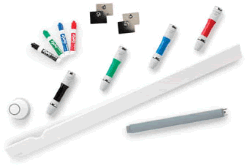
MimioCapture lets you use dray erase markers on any
whiteboard and automatically save what you write, and in
colour, on your PC or Laptop. Those saved lessons can be
edited, convert your hand writing into font-based
documents, modified and saved in varieties of formats
including PDF, JPEG, and HTML. You can always switch
between MimioCapture and MimioTeach Stylus and the
system recognizes immediately which tool you're using.



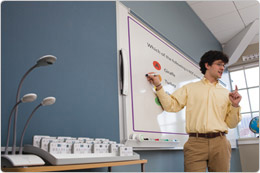
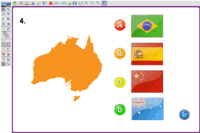 MimioStudio
Software
MimioStudio
Software
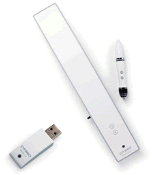 MimioTeach
Interactive System:
MimioTeach
Interactive System:

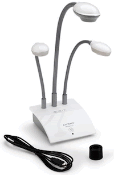 MimioView
Document Camera
MimioView
Document Camera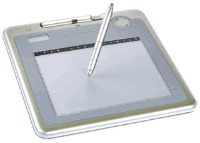 MimioPad
Wireless Tablet
MimioPad
Wireless Tablet
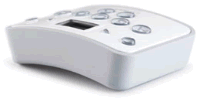 MimioVote
System:
MimioVote
System:
 System